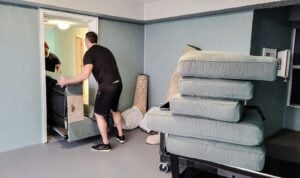

Moving a home office requires more planning than relocating regular household items. Whether you are a freelancer, remote worker, entrepreneur, or managing a small business from home, knowing how to move a home office efficiently can help prevent lost productivity, damaged equipment, and unnecessary stress.
A home office often contains valuable assets such as computers, monitors, printers, confidential documents, networking devices, and ergonomic furniture. Unlike other rooms in your home, even a few hours of downtime can affect your work, meetings, deadlines, and business operations.
This guide explains everything you need to know about moving a home office, from preparation and packing to setting up your new workspace efficiently.
Why Planning Matters When Moving a Home Office

A successful home office move starts with careful preparation. Unlike moving a bedroom or living room, your workspace directly impacts your income and productivity.
Without a proper moving plan, you may experience:
- Lost files and important documents
- Damaged electronics
- Internet connectivity delays
- Reduced productivity
- Missed client meetings
- Business interruptions
Pro Tip: Create a moving timeline at least 2–4 weeks before your relocation date. This gives you enough time to organize equipment and coordinate with movers.
Common Challenges When Moving a Home Office
Many people underestimate the complexity of relocating a workspace.
Technology Setup Issues
Modern home offices often include:
- Desktop computers
- Multiple monitors
- Printers
- Scanners
- Routers
- External hard drives
- Video conferencing equipment
Each item requires careful disconnection, labeling, and reinstallation.
Document Management
Even in a digital age, many professionals still maintain physical records.
Examples include:
- Contracts
- Tax documents
- Business licenses
- Client records
Proper organization helps avoid misplaced paperwork during the move.
Furniture Transportation
Home office furniture can be bulky and expensive.
Examples:
- Standing desks
- Executive chairs
- Filing cabinets
- Bookshelves
- Storage cabinets
Professional handling reduces the risk of damage.
Step-by-Step Guide on How to Move a Home Office

Step 1: Create a Home Office Inventory
Start by documenting everything in your workspace.
| Category | Examples |
|---|---|
| Electronics | Computer, Monitor, Printer |
| Furniture | Desk, Chair, Cabinet |
| Documents | Contracts, Records |
| Accessories | Headsets, Cameras, Cables |
An inventory helps ensure nothing is lost during the move.
Step 2: Back Up Important Data
Before disconnecting any device:
- Back up files to cloud storage
- Save critical documents to external drives
- Export passwords and software settings
- Verify backup integrity
Pro Tip: Use at least two backup locations before moving day.
Step 3: Label Every Cable and Device
One of the most frustrating parts of moving a home office is reconnecting equipment.
Label:
- Power cables
- HDMI cables
- Ethernet cables
- USB accessories
- Monitor connections
Simple labels can save hours during setup.
Step 4: Pack Electronics Properly
Electronics are among the most valuable items in a home office.
Recommended Packing Materials
- Anti-static bags
- Bubble wrap
- Foam inserts
- Sturdy moving boxes
Packing Checklist
✓ Shut down all devices properly
✓ Disconnect cables carefully
✓ Photograph cable configurations
✓ Wrap equipment individually
✓ Label each box clearly
Step 5: Secure Important Documents
Keep sensitive paperwork separate from general moving boxes.
Use:
- Waterproof folders
- Lockable document boxes
- Clearly labeled storage containers
For confidential business records, consider carrying them personally.
Step 6: Schedule Internet and Utility Transfers
A functioning internet connection is often the lifeline of a home office.
Before moving:
- Contact your internet provider.
- Schedule installation at the new address.
- Test connectivity before your first workday.
- Confirm backup internet options if needed.
Pro Tip: Avoid scheduling important online meetings immediately after moving day.
Step 7: Set Up Your New Home Office First
Many people focus on unpacking bedrooms and kitchens first.
For remote professionals, the workspace should be a priority.
Recommended setup order:
- Internet connection
- Desk placement
- Computer installation
- Monitor setup
- Printer installation
- File organization
This approach minimizes work interruptions.
Home Office Moving Timeline
Four Weeks Before Moving
- Create inventory
- Sort documents
- Declutter equipment
- Book professional movers
Two Weeks Before Moving
- Back up data
- Purchase packing supplies
- Label equipment
One Week Before Moving
- Confirm moving arrangements
- Prepare essentials box
- Transfer utilities
Moving Day
- Supervise equipment loading
- Secure sensitive documents
- Verify inventory checklist
After Moving
- Reconnect equipment
- Test internet
- Organize workspace
- Resume normal operations
Should You Hire Professional Movers for a Home Office?
For many professionals, hiring experienced movers provides significant advantages.
Benefits of Professional Home Office Moving Services
- Safe handling of electronics
- Reduced downtime
- Efficient furniture transportation
- Proper packing techniques
- Lower risk of damage
Professional movers understand how to relocate sensitive office equipment while maintaining organization throughout the process.
Case Example: A Remote Consultant’s Home Office Move
Consider a freelance business consultant relocating from an HDB apartment to a condominium in Singapore.
The home office contained:
- Two monitors
- Desktop workstation
- Printer
- Filing cabinet
- Business records
By creating a detailed inventory, backing up data, and prioritizing office setup at the new location, the consultant resumed operations within 24 hours of moving.
Without proper planning, recovery time could have taken several days.
Related Moving Situations to Consider
Every relocation is different.
For example:
- Students moving between accommodations often face similar organization challenges.
- Freelancers may need immediate internet access.
- Small business owners must protect sensitive client information.
If you are relocating educational materials or transitioning between residences, our guide on student moving services in Singapore can provide additional insights for planning a smooth move.
Home Office Moving Checklist
Before the Move
- Create inventory
- Back up files
- Label cables
- Organize documents
- Schedule internet installation
During the Move
- Supervise loading
- Protect electronics
- Keep essential items accessible
After the Move
- Reconnect devices
- Test equipment
- Verify internet connection
- Organize workspace
Pro Tip: Think of your home office move as a business continuity project rather than a simple household relocation. The goal is not only to move your equipment but also to maintain productivity throughout the transition.
Conclusion: Let Jean Movers Help You Move Your Home Office Efficiently
Knowing how to move a home office properly can save time, reduce stress, and protect valuable equipment. From creating an inventory and backing up important data to packing electronics and setting up your new workspace, every step plays a crucial role in ensuring a smooth transition.
At Jean Movers, we understand that your home office is more than just a room—it is the center of your productivity and business operations. Our experienced team specializes in handling furniture, electronics, documents, and relocation logistics with care and professionalism.
Whether you are moving across Singapore or relocating to a new home with a dedicated workspace, Jean Movers can help simplify the entire process. Contact us today to discuss your moving requirements and experience a seamless home office relocation with minimal downtime.
Final Pro Tip
The most successful home office moves are planned early, packed systematically, and supported by experienced movers who understand the importance of keeping your work uninterrupted.
Frequently Asked Questions
How far in advance should I plan a home office move?
It’s best to start planning at least 2–4 weeks before your moving date to minimize disruptions and stay organized.
What should I back up before moving my home office?
Back up all important files, documents, software settings, and passwords to cloud storage or an external drive.
How can I protect office electronics during a move?
Use anti-static bags, bubble wrap, and sturdy boxes, and label all equipment and cables clearly.
Should I hire professional movers for a home office relocation?
Yes, professional movers can safely handle electronics, furniture, and sensitive documents while reducing downtime.
What should I set up first in my new home office?
Start with your internet connection, then install your desk, computer, monitors, and other essential work equipment.